
GoDFAddition - Free Same-Name TXT File Merger That Preserves Folder Structure
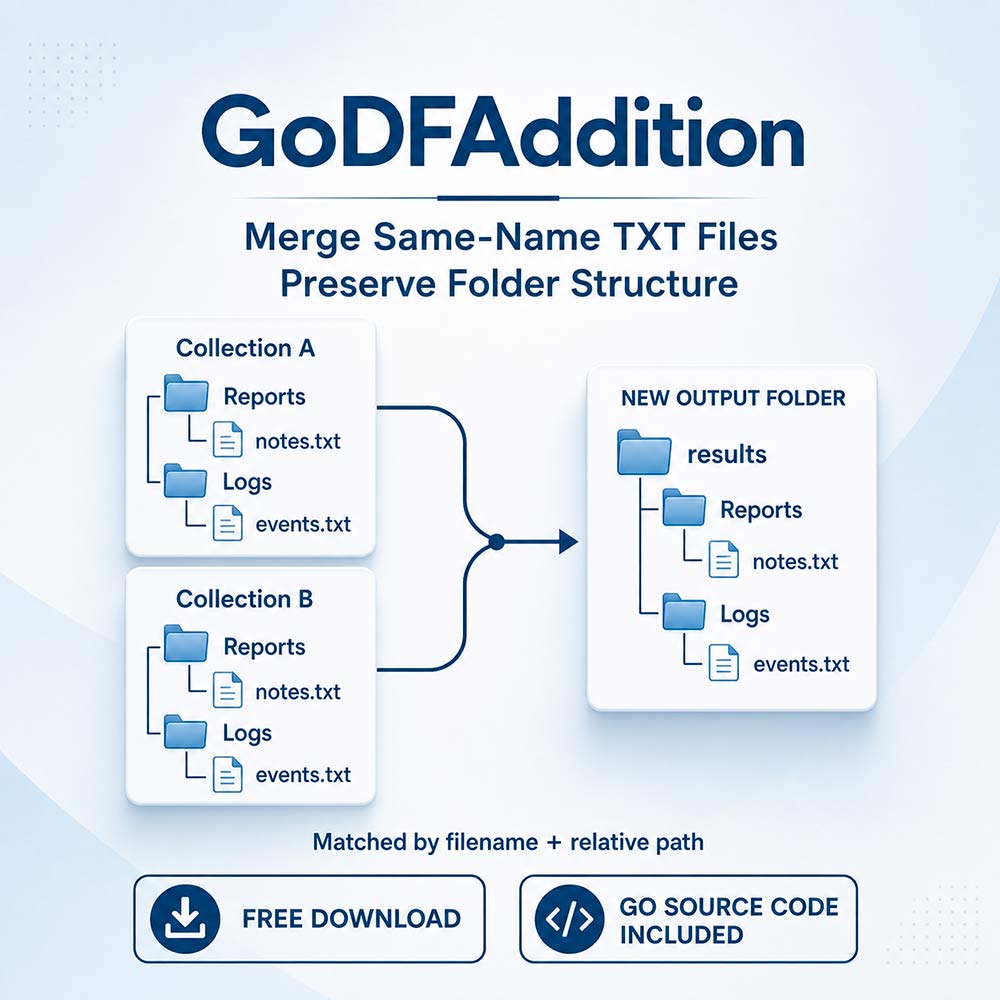
Combine text files from multiple folders into a shared output structure with GoDFAddition, a free utility written in Go. It is designed for workflows where separate collections contain similarly organized TXT files that need to be brought together.
Go source code is included, so you can inspect the implementation, understand how the merging process works, and explore changes for your own workflow.
What Does GoDFAddition Do?
GoDFAddition scans your input directory recursively and combines TXT files that share the same path beneath their top-level collection folders. Those collection folders are removed from the output paths, while the folder structure below them is retained.
This lets you consolidate several similarly structured collections without manually opening and copying the contents of each text file. Files with different output paths remain separate.
Example
Suppose your input folders contain:
data\Collection_A\Reports\notes.txt
data\Collection_B\Reports\notes.txt
data\Collection_C\Reports\notes.txt
Their text is combined into:
results\Reports\notes.txtA file stored under a different subfolder or filename is written to its corresponding output location.
Key Features
- Bulk text merging: Combine matching TXT files across multiple input collections.
- Recursive scanning: Find text files inside nested input folders.
- Folder-based organization: Retain the structure beneath each top-level collection folder.
- Local processing: The merging process runs on your computer without uploading file contents to an external service.
- Original files preserved: Input files are read without being modified or deleted.
- Basic text formatting: Empty lines are skipped, and output uses Windows-style CRLF line endings.
- Source code included: Review the Go implementation alongside the tool.
- Free download: Add the utility to your workflow at no purchase cost.
Basic Setup
- Create a folder named data in your working directory.
- Place your collections in separate subfolders inside data.
- Configure the input and output locations in settings.ini.
- Run the utility and review the generated files in the output folder.
Example configuration:
data_dir=.\data
results_dir=.\results
Important Notes
-
The current implementation expects Windows-style paths and an input
folder named
data. -
Only files with the lowercase
.txtextension are processed. Other formats are not converted. - Text is appended to existing output files. Running the same merge again can add the same content again. Use a new or empty output folder for a fresh result.
- Duplicate lines are not removed, and the order in which source files are merged is not guaranteed.
- Keep input and output folders separate, with the output folder outside the input directory.
Download GoDFAddition for free, with Go source code included.
Customer Reviews
No reviews yet.
Secure Checkout
24/7 Support