
Go Email Blacklist Cleaner - Free Bulk List Checking Tool
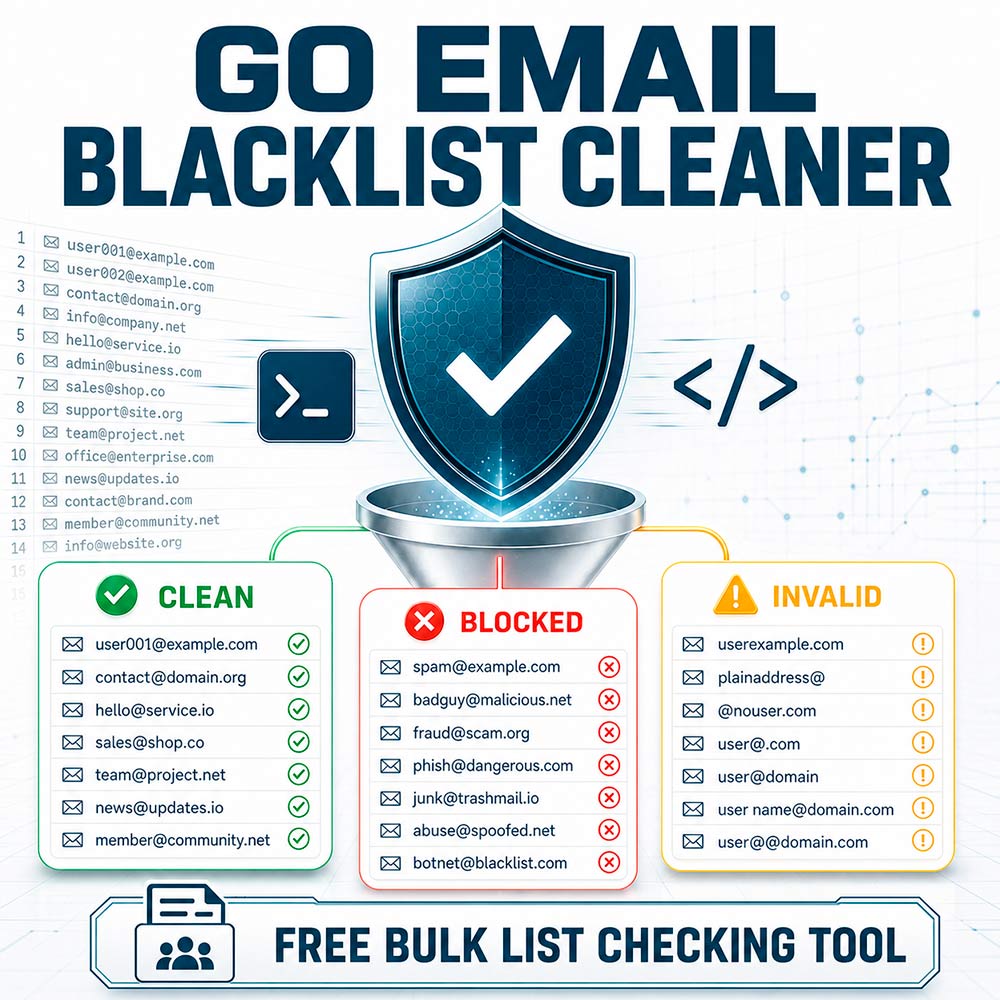
Go Email Blacklist Cleaner is a free command-line utility for processing large email and account lists against your own custom blacklist. It separates blocked, unwanted, or previously identified email addresses from clean entries using exact matching and flexible wildcard masks.
The application works locally on your computer and does not upload your lists to third-party services. It is suitable for filtering internal suppression lists, removing unwanted addresses, organizing datasets, and preparing email lists for further processing.
Full source code is included. The download contains the original Go source code together with the compiled application, allowing users to inspect the implementation, customize the tool, and build their own executable.
Key Features
- Bulk processing of
.txtfiles - Exact email blacklist matching
- Flexible wildcard mask support
- Multithreaded processing for large datasets
- Configurable file and processing thread limits
- Automatic separation of results into three categories
- Support for several common account formats
- Optional duplicate removal
- Periodic saving of processed results
- Checked-file markers to prevent accidental reprocessing
- Local and offline operation
- Simple configuration through
settings.ini - Original Go source code included
- Free to download and use
Supported Blacklist Rules
The tool supports exact email addresses and flexible wildcard masks.
Exact email match:
blocked@example.comMatches only the specified email address.
Contains text:
*spam*Matches any email address containing spam.
Domain or suffix match:
*@blocked-domain.com
Matches email addresses ending with
@blocked-domain.com.
Prefix match:
test*Matches email addresses beginning with test.
These rules make it possible to block individual addresses, entire domains, prefixes, suffixes, and specific text patterns.
Supported Input Formats
The utility can extract email addresses from several commonly used formats:
user@example.com
user@example.com:password
user@example.com;password
user@example.com=password
Structured records separated by pipe or tab characters are also supported. Only the extracted email address is compared with the blacklist and written to the appropriate results file.
Result Categories
After processing, the utility creates separate output files for each result category.
Not found:
<ID>_db.txtContains valid email addresses that were not found in the blacklist.
Found:
<ID>_db_found.txtContains email addresses that matched an exact blacklist entry or wildcard mask.
Invalid:
<ID>_db_invalid.txtContains empty, malformed, or unsupported input records.
The resulting files can optionally be cleaned of duplicate entries.
How It Works
-
Add one or more
.txtfiles to the configured database directory. - Add exact blocked addresses to
black_list.txt. - Add wildcard rules to
black_mask.txt. - Configure processing options in
settings.ini. - Start the application.
- The tool extracts and validates email addresses.
- Each address is compared with the blacklist and wildcard masks.
- Results are saved into separate text files.
Large input files are processed concurrently. The number of worker threads can be controlled through the configuration file.
Configuration Options
The settings.ini file allows you to configure:
- Number of email-processing threads
- Number of files processed simultaneously
- Input database directory
- Results directory
- Result-saving interval
- Debug logging
- Duplicate removal
- Unwanted-character removal
- Unique checker ID used in result filenames
Source Code Included
The complete Go source code is included with the download. Developers can review how the utility works, modify its processing logic, add custom blacklist rules, adjust the output format, or compile a new version for their own environment.
This makes the product useful not only as a ready-to-use utility, but also as a practical starting point for developers who need a customizable local email-list filtering solution.
Privacy
All processing is performed locally. The tool does not require an online account and does not send email lists to an external API or cloud service.
For better security, avoid storing unnecessary passwords or other sensitive information in input files. Although the utility can extract email addresses from credential-style records, its primary purpose is email filtering not credential management.
Recommended Uses
- Filtering internal email suppression lists
- Separating blocked addresses from clean records
- Removing unwanted domains from datasets
- Organizing large text-based email lists
- Applying custom address and domain rules
- Preparing data for import into another application
- Cleaning locally maintained contact datasets
- Learning from and customizing an existing Go project
Important Notice
This utility compares email addresses only against the local blacklist and wildcard masks supplied by the user.
It does not:
- Check public DNS blacklists or DNSBL services
- Test whether a mailbox exists
- Verify whether an email address can receive messages
- Measure sender or domain reputation
- Guarantee email deliverability
- Send emails or connect to mail servers
The accuracy of the results depends on the contents of your custom
black_list.txt and black_mask.txt files.
Go Email Blacklist Cleaner is provided as a free utility for local list processing and data organization. The compiled application and original Go source code are both included with the download.
Customer Reviews
No reviews yet.
Secure Checkout
24/7 Support